

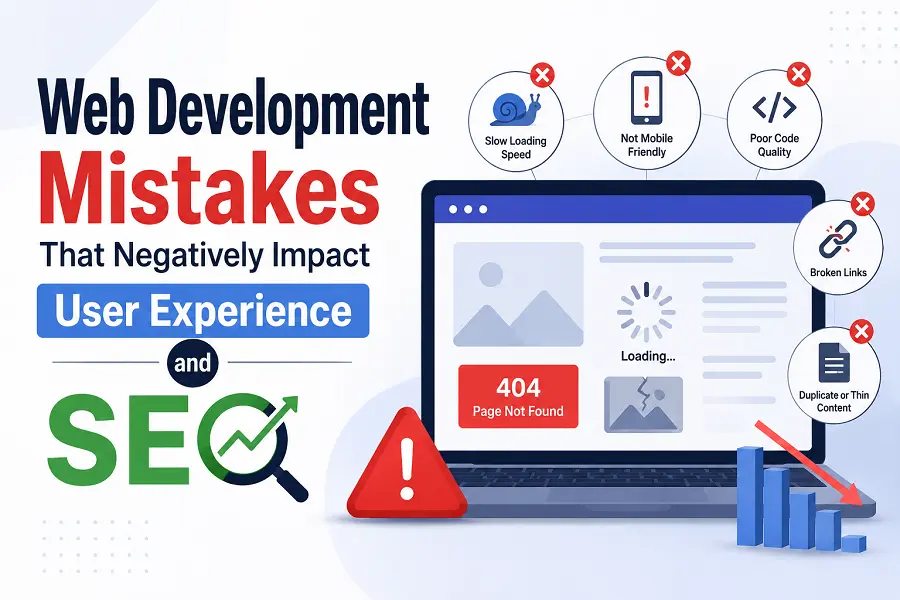
Building a high-performing website requires a delicate balance between technical execution and user-centric design. Often, development teams focus heavily on aesthetics or complex code functionality while inadvertently neglecting how search engine crawlers and real human visitors interact with the site. When technical oversights compromise user experience (UX), search engine optimization (SEO) performance invariably suffers. This guide highlights critical development errors that degrade engagement metrics and lower search rankings, along with actionable solutions to fix them.
Technical Performance Errors That Drain Engagement
Page speed and responsiveness are foundational to modern search visibility. When a browser requests a webpage, every line of unoptimized code delays the time it takes for a user to see and interact with the content. High latency frustrates visitors, driving up bounce rates and signaling to search engines that the platform lacks utility.
-
Uncompressed Visual Assets: Serving heavy, unoptimized images and videos stalls page rendering. Developers should implement modern formats like WebP or AVIF and utilize responsive image syntax to match the user’s screen size.
-
Bloated Code Frameworks: Excessive JavaScript and unused CSS block the main thread, delaying the First Input Delay (FID) or Interaction to Next Paint (INP). Code splitting and minification keep codebases lean.
-
Ignoring Resource Hints: Failing to use preconnect, prefetch, or preload directives prevents the browser from prioritizing critical assets, which slows down the overall perceived loading speed.
-
Inadequate Caching Strategies: Without proper HTTP caching headers, returning visitors must re-download the entire asset catalog, creating unnecessary server load and slow load times.
Layout and Structural Flaws That Disrupt the User Journey
A website must remain stable and intuitive as it loads. Structural instability and poor mobile adaptation confuse users, leading to accidental clicks and abandoned sessions. Search engines closely track how easily a visitor navigates a page layout across all device types.
-
Missing Dimensions on Media Elements: When images or dynamic ad blocks lack explicit width and height attributes, the page layout shifts unexpectedly during render. This triggers a poor Cumulative Layout Shift (CLS) score.
-
Non-Responsive Mobile Design: Relying on fixed-width containers or failing to configure the viewport meta tag forces mobile users to pinch and zoom, which severely harms the mobile-first indexing process.
-
Intrusive Interstitials and Pop-ups: Hard-to-dismiss overlays that block primary content upon entry disrupt user intent, leading to immediate exits and potential search ranking penalties.
-
Poor Font Legibility: Using tiny font sizes or low-contrast color palettes makes text unreadable on smaller screens, forcing users away and failing basic accessibility standards.
Navigation and Architecture Oversight
Cluttered site architecture prevents search engine bots from crawling pages efficiently and stops users from finding information. A logical URL structure, intuitive menus, and clear internal linking paths guide visitors naturally down the conversion funnel while distributing link equity effectively across the domain.
Conclusion
Seamless web development requires prioritizing the end-user at every stage of production. By eliminating code bloat, stabilizing page layouts, and optimizing asset delivery, you create a fast, accessible environment that pleases both human visitors and search engine algorithms. Excellent UX is the foundation of sustainable, high-ranking SEO success.
FAQs
How does Interaction to Next Paint (INP) affect my search visibility?
INP measures page responsiveness by tracking the latency of all user interactions, like clicks or keypresses. High INP values indicate a laggy interface, which lowers user satisfaction and can negatively impact search rankings under Core Web Vitals.
Why does a high Cumulative Layout Shift (CLS) hurt my website?
CLS measures visual stability. When elements move around unexpectedly during page load, users often make accidental clicks, creating a frustrating experience that drives up bounce rates and signals poor quality to search engines.
Can unoptimized JavaScript impact how search engines index my content?
Yes. If a search engine bot encounters complex, heavy JavaScript, it may defer rendering the page content due to computational limits. This delay can lead to incomplete indexing or missing content in search results.
What is the risk of using non-semantic HTML tags?
Non-semantic tags fail to communicate the structure of your content to assistive technologies and search crawlers. Using proper semantic tags helps search engines understand the hierarchy and context of your data more accurately.
How do broken internal links affect user behavior and crawling?
Broken links create dead ends for users, disrupting their journey and causing frustration. For search engines, these broken pathways waste crawl budget and stop bots from discovering and indexing deeper pages on your site.








Leave a Reply