


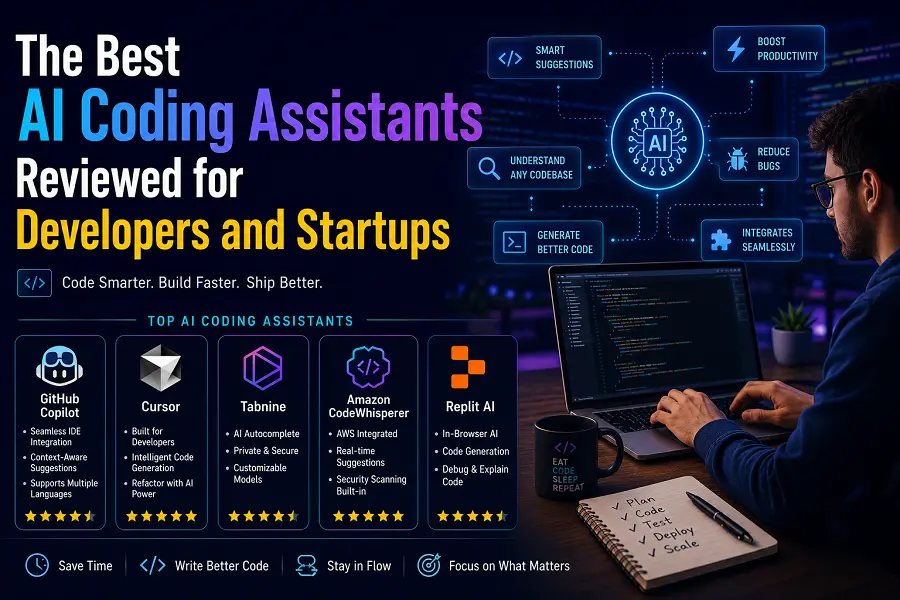
Software development is undergoing a massive shift. The choice is no longer about whether to adopt automation, but rather selecting the precise platform that accelerates shipping timelines. For individual developers and fast-moving startups, picking the right intelligent companion means the difference between a product launching in weeks or dragging out over months. This review breaks down the leading platforms optimizing workflows right now.
Leading Ecosystems Driving Engineering Velocity
Selecting the right development tool requires looking past basic autocomplete features to evaluate how an application handles complex, multi-file codebases and systemic reasoning.
-
Cursor: This standalone, AI-native integrated development environment (IDE) treats intelligent interaction as a core component rather than a plugin. Its background indexing allows for deep context comprehension across entire project directories, enabling complex multi-file refactoring and intuitive inline prompt execution.
-
Claude Code: Operating directly inside the command-line interface, this terminal-first companion functions as an autonomous execution agent. It reads directories, runs commands, handles git operations, and addresses deep structural bugs through conversational commands.
-
GitHub Copilot: The established industry baseline continues to excel due to its deep platform integration. It excels at instantly generating standard boilerplate code, summarizing complex pull requests, and automating repetitive syntax strings without interrupting the standard development workflow.
-
Windsurf: Built specifically for rapid prototyping and startup minimum viable products (MVPs), this environment focuses on high-speed execution. Its unified agent system plans and applies changes simultaneously across frontend and backend systems, minimizing setup overhead.
Crucial Selection Criteria for Scaling Startups
Startups face unique constraints regarding capital, velocity, and technical debt. When standardizing an automation stack, technical leadership must weigh specific functional factors to ensure long-term stability.
-
Context Window Capabilities: Codebases grow exponentially. A tool must ingest massive repositories without dropping historical code references, ensuring new logic integrates seamlessly with legacy architectures.
-
Data Security and Compliance: Startups must protect proprietary intellectual property. Platforms offering local model execution, zero data-retention policies, and strict compliance framework isolation are mandatory for highly regulated sectors.
-
Prototyping Efficiency: Early-stage operations depend on rapid iteration. Ideation tools must support browser-based scaffolding, immediate environment provisioning, and low-friction feature additions.
-
Operational Cost Transparency: Computational overhead from background execution can escalate rapidly. Teams require predictable monthly subscription models or clear usage metrics to prevent runaway API expenses.
Specialized Automation for Advanced Infrastructure
Beyond standard web application logic, modern software engineering requires niche expertise in cloud deployment, data engineering, and machine learning pipelines.
Dedicated platforms like Amazon Q Developer offer tailored assistance for optimization within specialized cloud environments, providing instant infrastructure-as-code generation and automated security vulnerability auditing. Similarly, tools built natively into specialized enterprise environments help data teams generate clean analytical queries and manage orchestration pipelines without leaving their active workspaces. By delegating routine script adjustments to these contextual engines, core engineering teams can dedicate their focus entirely to high-level product design and systemic architecture.
Conclusion
The ideal intelligence stack depends on immediate operational goals. Startups prioritizing rapid web prototyping benefit immensely from unified, agent-driven editors that accelerate product delivery. Established engineering teams handling massive, distributed codebases find greater leverage in terminal-centric reasoning engines or deeply embedded platform assistants. Aligning your choice with your workflow demands ensures sustainable engineering output.
FAQs
How do modern development assistants handle multi-file code editing?
Advanced systems map the entire repository structure using background semantic indexing. When a change is requested, the system identifies relevant file dependencies across the project, allowing it to modify backend logic, update frontend components, and alter configuration files in a single execution cycle.
Can these automation tools run completely offline for maximum security?
Yes. Specific privacy-centric platforms utilize local machine learning models that run entirely on on-premise infrastructure. This architecture ensures that sensitive code strings never leave local workstations or internal air-gapped servers, fulfilling strict corporate data governance requirements.
What distinguishes a standard plugin from an AI-native IDE?
Standard plugins act as localized extensions within traditional text editors, primarily handling immediate tasks like active text autocompletion or basic chat functions. An AI-native IDE redesigns the interface entirely around machine intelligence, linking the terminal, file tree, and system diagnostics directly to the reasoning engine.
How do startups minimize operational costs when using advanced coding agents?
Engineering teams can control costs by establishing explicit rule files within their repositories to limit automated search paths. Additionally, choosing platforms with predictable flat-rate monthly tiers instead of open-ended, consumption-based API pricing prevents unexpected budget overruns during intense development cycles.
Do these platforms support infrastructure management and deployment tasks?
Cloud-focused assistants integrate directly with hosting ecosystems to generate infrastructure-as-code scripts, diagnose deployment failures, and recommend security patch updates, extending their utility well beyond traditional application syntax writing.





Leave a Reply