

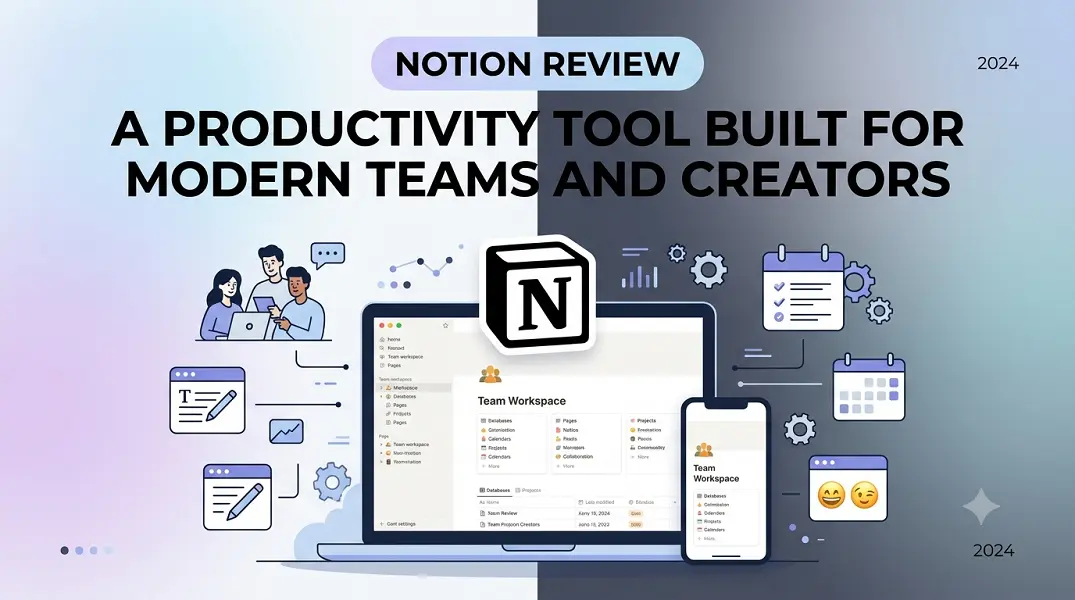
Finding a single platform that balances deep documentation with active project management is a known challenge for digital businesses. Notion addresses this fragmentation by unifying notes, structured databases, and automated workflows into a highly customizable interface. Instead of forcing users into rigid systems, it relies on a modular setup that scales alongside growing operational demands.
This workspace solution fits teams trying to centralize institutional knowledge and independent creators tracking multiple creative pipelines. The following analysis explores how the software functions, its core features, and its practical application for day-to-day operations.
The Core Elements of Modular Flexibility
The platform treats every piece of content as an independent element, traditionally referred to as a block. These blocks range from standard text paragraphs and bullet points to advanced database views and interactive media embeds. Users can rearrange these modules instantly using simple drag-and-drop actions to build tailored dashboards.
This underlying architecture offers distinct operational advantages for fast-moving environments:
-
Dynamic Text Handling: Toggle lists compress complex training materials, allowing readers to expand sections only when needed.
-
Contextual Asset Embedding: Rich media, design files, and external code snippets live directly alongside project documentation.
-
Unified Template Ecosystem: Custom page layouts save configuration time, enabling teams to replicate successful project frameworks instantly.
-
Universal Component Architecture: Any structural change updates across all connected instances, preventing manual copy-paste errors.
Transforming Raw Data Into Connected Databases
Beyond simple document creation, the platform features a robust database engine that links disparate pieces of information. A single master dataset displays across multiple visual formats depending on current team requirements. For instance, a content calendar can render simultaneously as an editorial pipeline, a monthly visual calendar, or a simple flat list.
To implement a collaborative system from scratch, teams typically move through a structured sequence of configuration phases:
-
Define Core Properties: Create custom metadata fields such as multi-select status tags, numeric budgets, and explicit owner assignments.
-
Establish Relational Links: Connect separate databases, making sure task items directly reference parent project documents or client profiles.
-
Apply Granular Filters: Set up specific dashboard views that hide completed milestones and display only immediate priorities for the logged-in user.
-
Implement Native Automations: Establish rule-based triggers that automatically alert specific team members or update status properties when a task changes.
Built-In AI and Collaborative Workflows
Modern workspaces require seamless cross-departmental coordination and smart data retrieval. Recent updates introduce advanced internal agents and contextual search features that parse workspace histories instantly. These tools extract key insights from dense meeting transcripts or long-form strategy briefs without requiring manual summarization.
Real-time co-authoring allows multiple team members to edit documents together without version collision. Inline comments, page-level discussion threads, and precise user mentions keep team communications focused on the actual work asset rather than scattered across external chat channels.
Conclusion
Notion remains a highly adaptable workspace platform due to its modular design, connected relational databases, and contextual collaboration tools. While the initial setup requires intentional planning to avoid structural clutter, the long-term benefit of a centralized operational hub is undeniable. For teams and creators looking to eliminate tool sprawl, it offers a scalable framework to manage knowledge and execution in one clear space.
FAQs
How does Notion handle data privacy and security for team workspaces?
The platform uses industry-standard TLS encryption to protect data during transit and keeps information secure at rest using advanced cloud storage controls. Workspace administrators can manage fine-grained sharing permissions, restricting page access to specific external guests or internal user groups.
Can I use the platform offline when an internet connection is unavailable?
The system caches recently opened pages for offline viewing and editing on desktop and mobile applications. Any modifications made while disconnected will automatically sync back to the cloud workspace once a stable network connection is re-established.
What is the learning curve for complete beginners?
Basic document creation and text editing are intuitive, feeling similar to standard word processors. Mastering advanced relational databases and multi-tier workspaces requires more time, though pre-built organizational templates significantly simplify initial onboarding.
How does the free plan compare to paid business tiers?
The free tier offers unlimited pages and blocks for single users alongside basic file uploads. Paid organizational plans unlock collaborative teamspaces, extended version histories, larger file limits, and advanced admin controls necessary for running multi-user companies.
Does Notion integrate with existing software development tools?
Yes, the platform offers native sync capabilities and robust developer APIs to connect with popular tools like engineering code repositories, issue trackers, and customer communication suites, allowing automated status updates across platforms.






Leave a Reply