

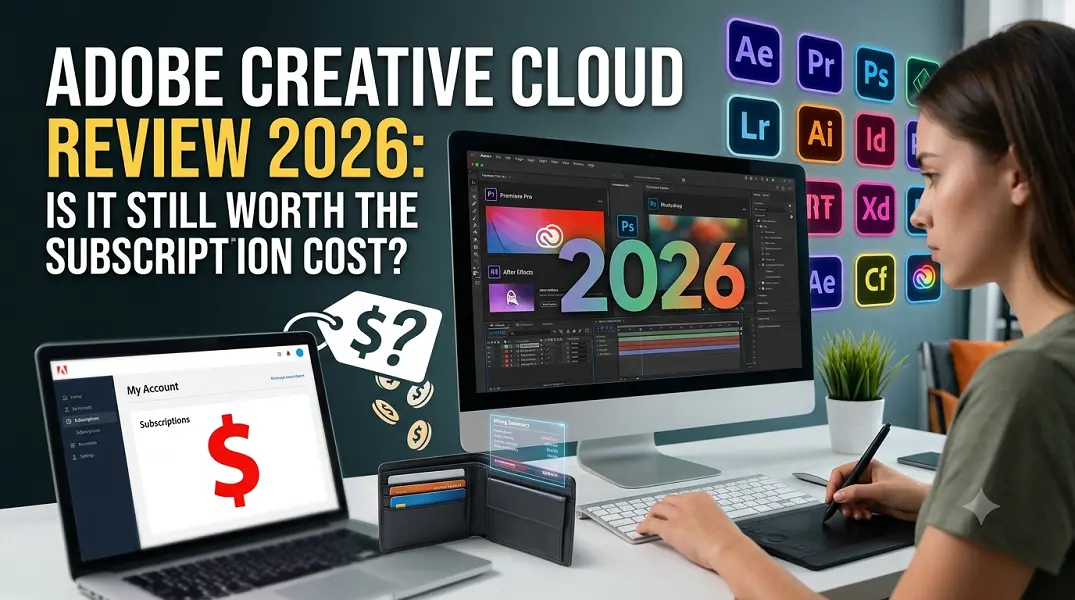
Deciding whether to pay for a premium software suite requires looking closely at daily workflows, specific output needs, and financial returns. Creative professionals face a market filled with nimble, budget-friendly design software.
The monthly investment for a full subscription can strain budgets, prompting creators to ask if the cost aligns with the actual value delivered. Evaluating the platform requires checking how its features stand up against contemporary creative demands.
Core Features Driving Design Efficiency
The ecosystem thrives on heavy-duty, highly specialized programs designed to handle intricate production tasks. While single apps focus on specific tasks, the true strength lies in how these tools work together.
-
Integrated Workflow Ecosystem: Assets move smoothly between photo editing, vector creation, and motion graphics programs without requiring manual file conversions.
-
Advanced Artificial Intelligence: Deep integration of Firefly engines enables instant background removal, generative expansion, and automated object masking directly inside native workspaces.
-
Centralized Asset Management: Cloud libraries store color palettes, typography settings, and vector elements, keeping them accessible across desktop and mobile devices.
-
Collaborative Infrastructure: Live co-editing features and cloud-based review systems allow multiple team members to leave feedback on a single design file simultaneously.
-
Global Font Access: The built-in typography marketplace provides immediate licensing for thousands of premium typefaces without extra charges.
Significant Updates Shaping the Workspace
The platforms have evolved to counter competitive market shifts, resulting in distinct functional upgrades. These changes balance automation with deep technical control.
-
New Standard Plan Tier: A freshly introduced subscription option allows creators to access core design engines at a reduced price point if they choose to opt out of heavier generative AI features.
-
Conversational AI Assistants: Natural language processing blocks inside popular photo editors allow users to execute complex color adjustments and structural modifications using text commands.
-
Upgraded Color Management: Video production tools feature a completely rebuilt color pipelines that automatically match gamuts across different camera brands and display standards.
-
Third-Party Model Integration: Vector design tools now support partner AI models, providing varied stylistic options when transforming text prompts into vector graphics.
-
Native Hardware Optimization: Core engines feature complete, native support for modern ARM-based operating systems, drastically improving battery life and processing speed on portable computers.
Financial Viability vs Independent Alternatives
For boutique agencies, seasoned freelancers, and large enterprises, the ecosystem remains an industry standard because client handoffs often depend on native project formats. The pricing makes sense when a business fully utilizes three or more specialized applications, such as running video editing, sound design, and visual effects tools side-by-side.
However, casual creators, social media managers, and web designers often find their needs entirely met by lightweight, non-subscription programs. Independent tools now offer robust vector illustration and advanced raster editing for one-time purchase fees. Spending hundreds of dollars annually becomes inefficient if the primary objective is producing straightforward layouts or simple online graphics.
Conclusion
The platform justifies its subscription fee for professionals who rely on intricate inter-app connectivity, collaborative enterprise features, and advanced automation to meet tight client deadlines. For these users, the time saved by high-end processing engines outweighs the monthly financial cost. Conversely, general hobbyists and creators with simpler production pipelines will find better financial value by exploring independent, perpetual-license alternatives.
FAQs
Can I purchase a single application without subscribing to the entire package?
Yes, individual applications are available via standalone monthly or annual subscriptions. This path is highly cost-effective for creators who exclusively use one primary program, like vector design or photo editing, without needing the rest of the software catalog.
What happens to my creative files if I cancel my active subscription?
Your project files remain safe on your local drive, but you will lose access to the desktop applications required to edit native file formats. Cloud storage allocations scale down to a basic tier, meaning you must download files exceeding the free limit to avoid data loss.
Is an active internet connection required to use the desktop software?
No, the core software runs directly on local computer hardware rather than through a browser. The system only requires an internet connection once every thirty days to validate license status and background subscription checks.
Do the newer generative AI features cost extra money to use?
Generative tools operate on a credit system included within the standard subscription tiers. Heavy users who exhaust their monthly credit allotment can continue generating assets at slower processing speeds or purchase supplementary credit packs.
Can the software be installed and active on more than one computer?
The subscription permits installation across multiple machines regardless of the operating system. However, the software can only be actively running on two devices simultaneously, making it ideal for moving between a desktop studio setup and a mobile laptop.





Leave a Reply